The manual, screen by screen.
Every part of Stillplace in the order you meet it, from the room to the end of a session. Point at a number, or tab to it, and its step lights up beside the screen.
Space: the room around you
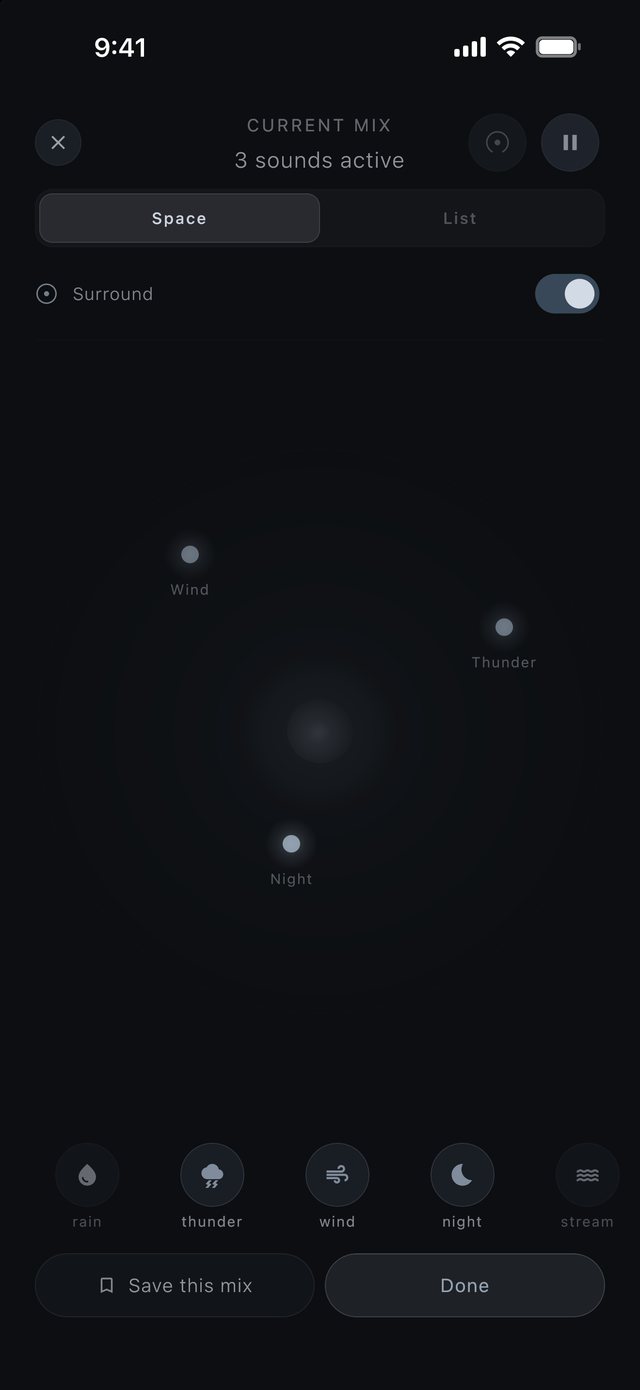
Space is the room itself. It lives inside Current Mix, beside List, which shows the same sounds as a list. You sit at the centre and every placed sound is a dot around you.
The sheet that holds the room. Its header says how many sounds are playing.
Two views of one mix. Space places the sounds around you; List lines them up.
The button in the room's header. With AirPods that have motion sensors, the room stays put when you turn your head. Motion permission is asked only when you switch it on.
Drag a dot to move it. The angle is the direction you hear it from; nearer the centre, it feels more present.
Thunder sits far off on the right. Placed sounds wander a few degrees over minutes, so the room never sounds like a loop.
Face a new way and the room recentres over a few seconds. Press and hold the centre to recentre now.
Lined up under the room. The lit ones are the three placed above.
A saved mix keeps its sounds, their volumes and where each one sits.
Noise isn't a place.White, pink and brown noise play under the room and never appear as dots. On iPhone with headphones the room is true spatial audio; on the speaker it folds down to stereo and every sound still plays.
The Mixer
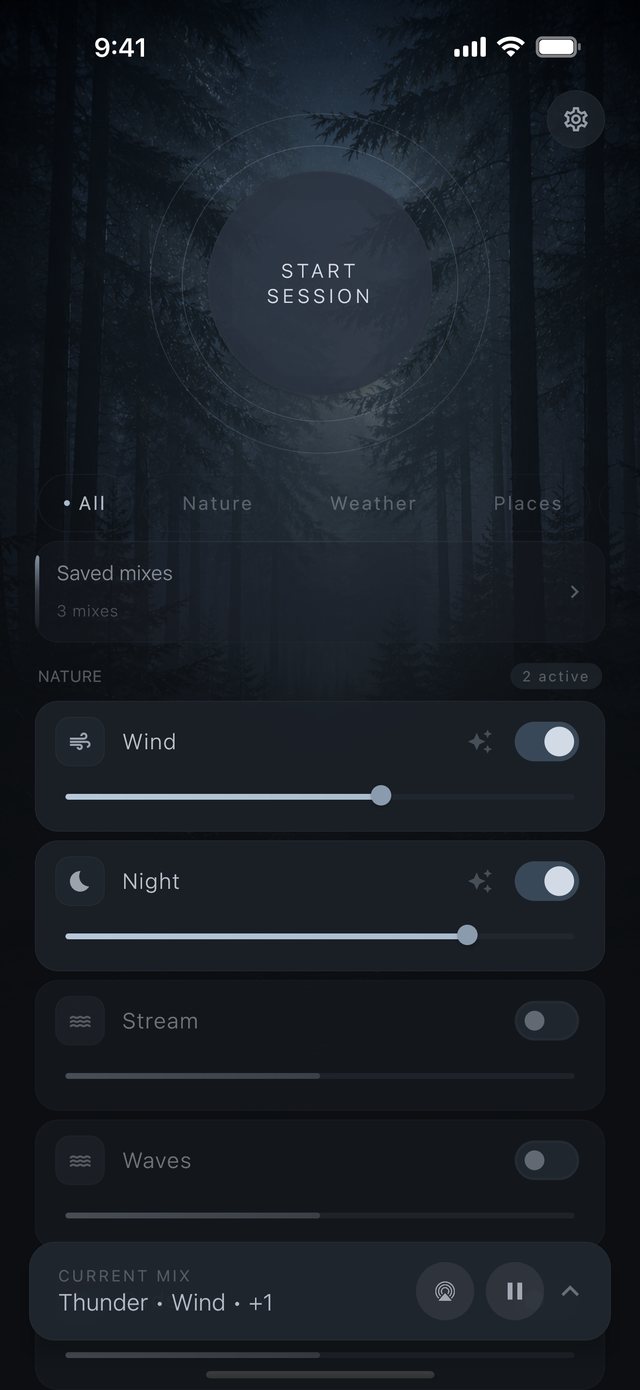
Where every visit starts: the room is already playing. Turn sounds on, set how loud each one is, and start a session in one tap.
One tap from the room to a focus or sleep session.
All, Nature, Weather and Places.
Each sound has its own switch.
How present the sound is. In Space, the same thing is shown as distance from you.
Lets a sound's volume breathe over time; its slider turns cyan while it's on. It starts off.
What's playing now. Open it to reach the Space room.
Stops the whole mix. Playback fades, never cuts.
Setting an intention
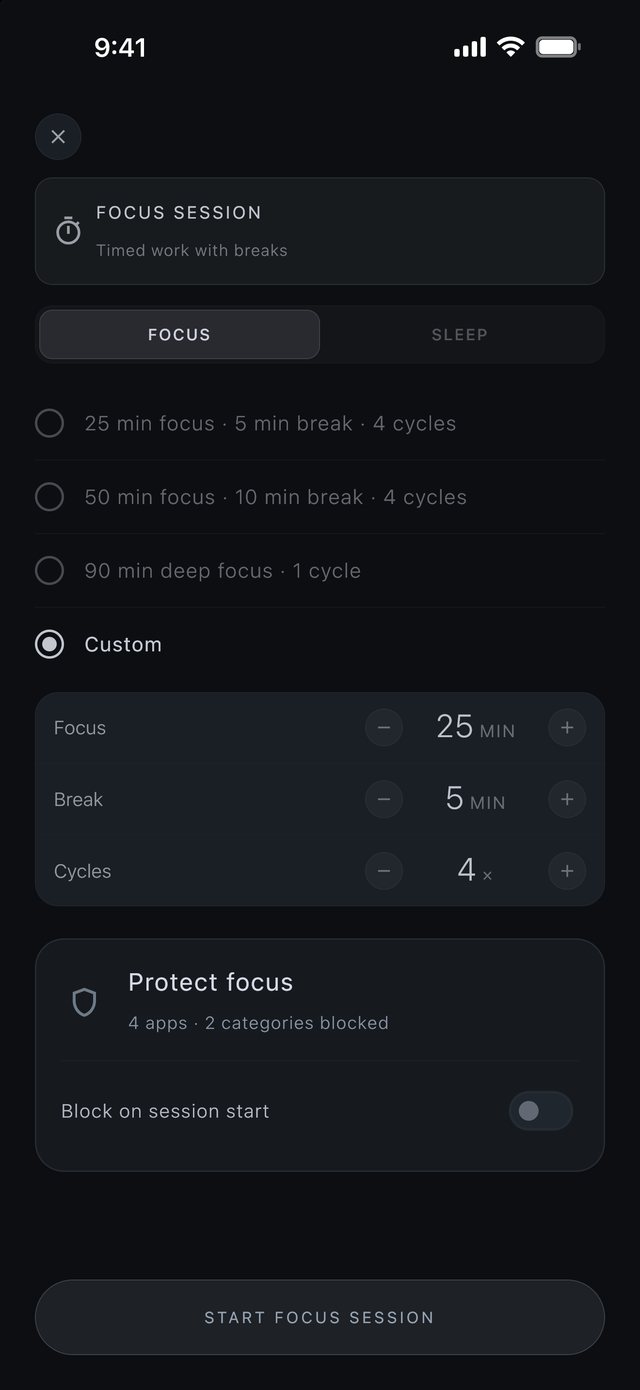
Before a session begins, you say what kind of time this is. Choose Focus or Sleep, then a length.
Two kinds of session, one sheet.
25 minutes of focus with 5 of break, 50 with 10, or 90 minutes of deep focus.
Set the focus length, the break length and how many cycles.
What will be shielded, here 4 apps and 2 categories. Open it to choose.
Raises the shield as the session begins.
The screen dims and the session begins inside the room.
The session
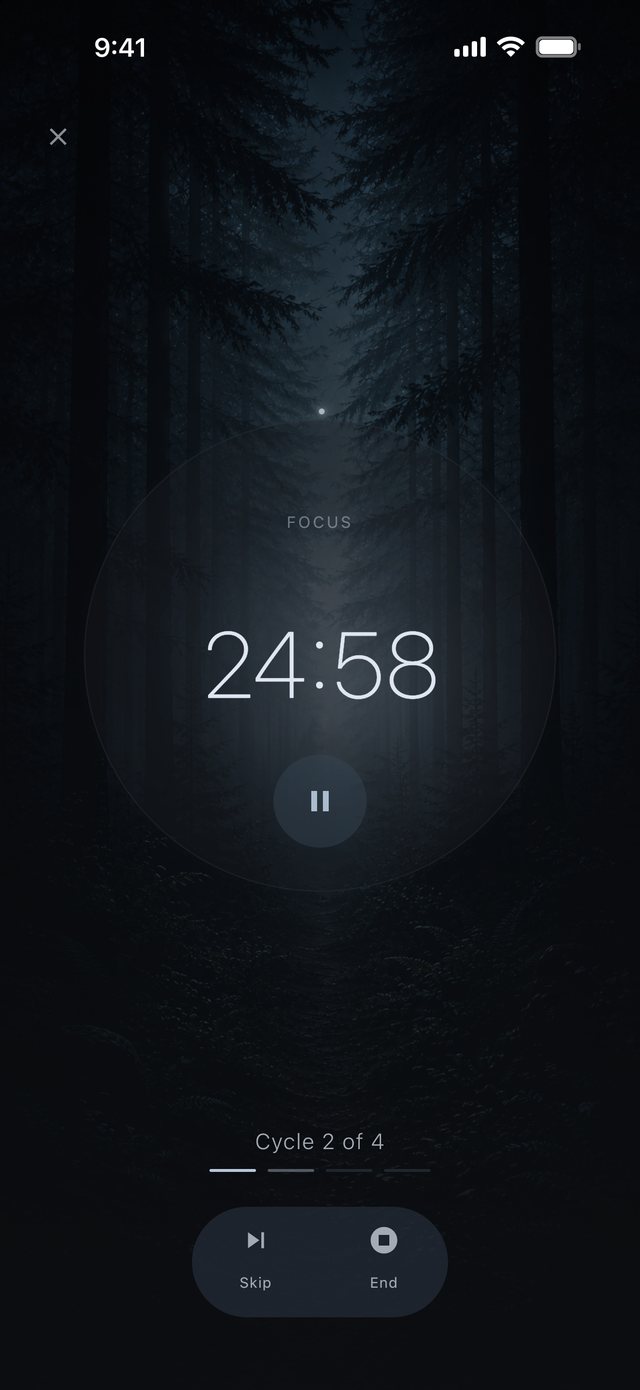
The screen dims to a breathing orb and a quiet timer, and the room keeps playing. Pause, skip or extend as you go.
On iPhone, while it runs, the timer is also on your Lock Screen and in the Dynamic Island.
Focus, or Break between cycles.
Large and quiet, so a glance is enough.
Holds the timer where it is.
One dash for each cycle.
Moves on to the next phase.
With strict mode on, ending early takes intention.
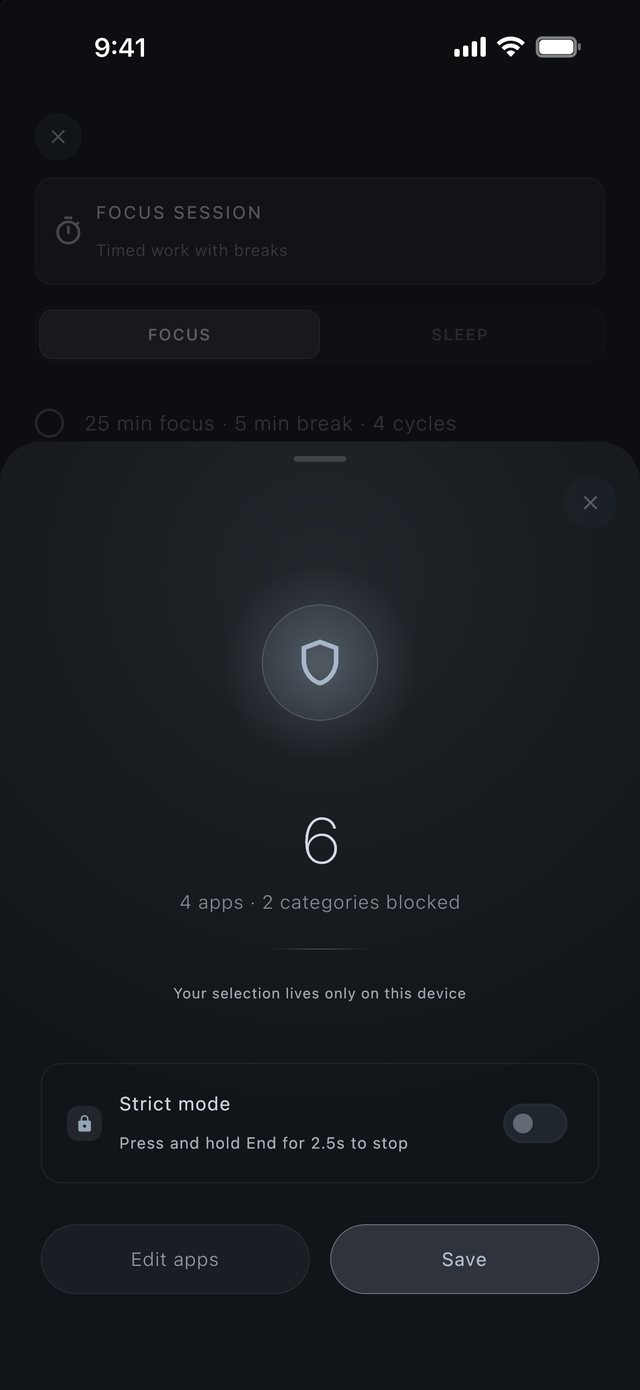
Protect Focus iPhone only
Pick apps and categories to shield while you work, through Apple's Screen Time. The shield lifts when the session ends. Apple keeps your list on your phone, and we never see which apps you choose.
Up for the length of the session, down when it ends.
Six in all: 4 apps and 2 categories.
Your selection lives only on this device.
Ending early takes intention. The screen spells it out: press and hold End for 2.5s to stop.
Choose the apps and categories to shield.
Keeps your selection.
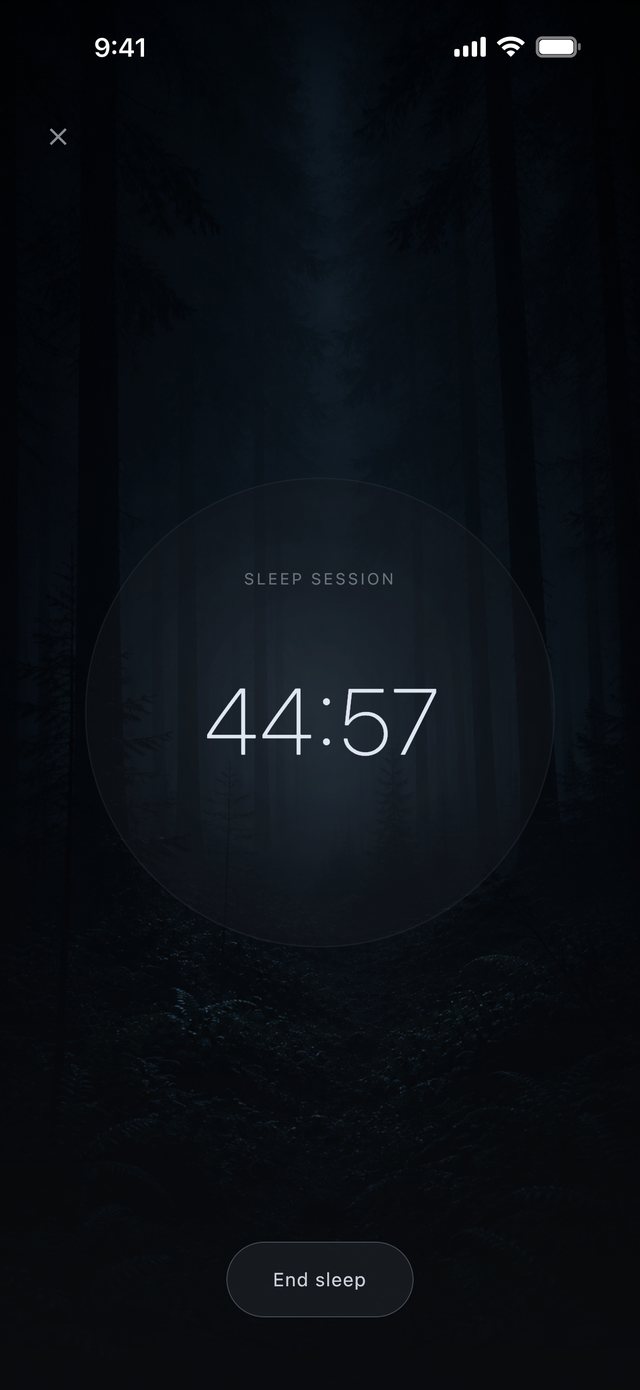
Sleep
Choose Sleep in the setup sheet and pick a length. Sound and light fade out together across it, so the room grows quiet as the screen grows dark. Head tracking stands down for the fade.
The same room, fading.
Until the room is silent.
The light that dims as the sound fades.
Stop whenever you like.
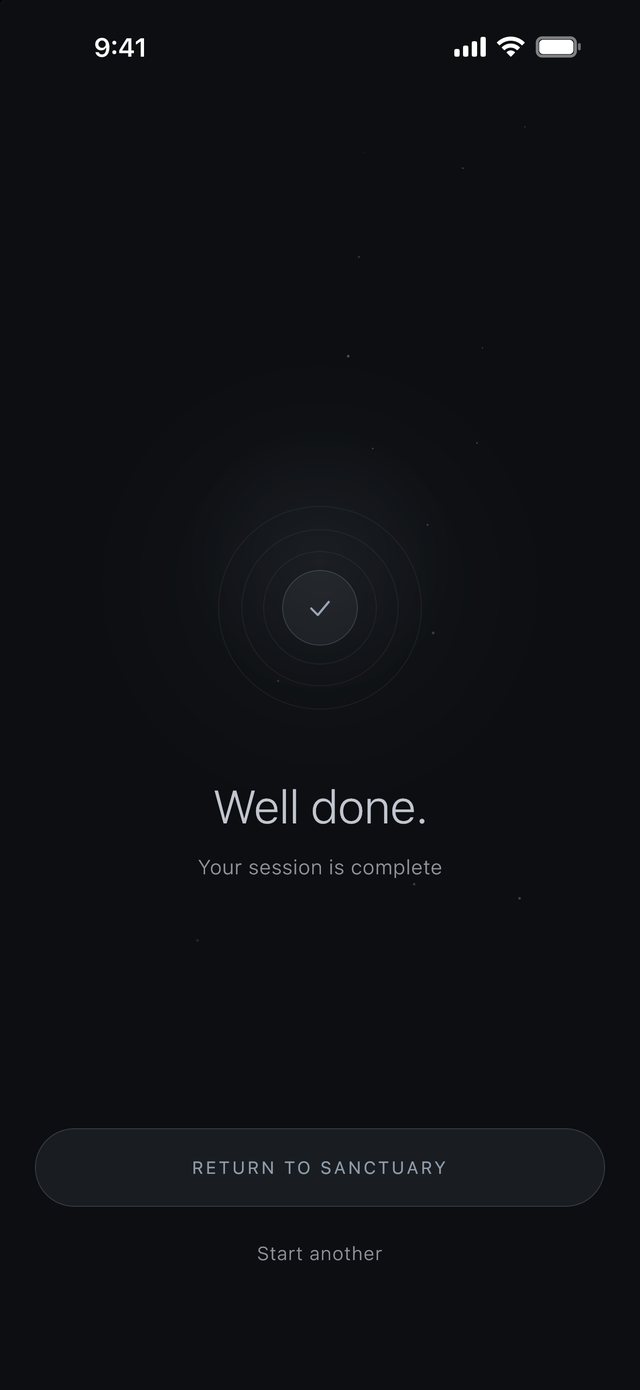
Well done.
When a session ends, the app says so and nothing more. No score, no streak, no chart.
A quiet check, no fanfare.
The only thing it says.
Back to your room.
Begin another session.
Now build your own room.
Free, with nothing locked. Rain close, thunder far behind, fire at your feet.
Back to the hour
